

It's one in the morning. You investigated the Evidence, you've written the paper and it's almost done.
Only the bibliography is missing.
Fourteen sources. You open the first one, look for the authors, the year, the journal, the volume, the pages. You copy the DOI. You check if Vancouver used a period or a comma. Next tab.
If each reference takes you four minutes, that’s almost an hour. An hour in which you learn nothing and where a formatting error can cost you points.
That part you no longer have to do by hand.
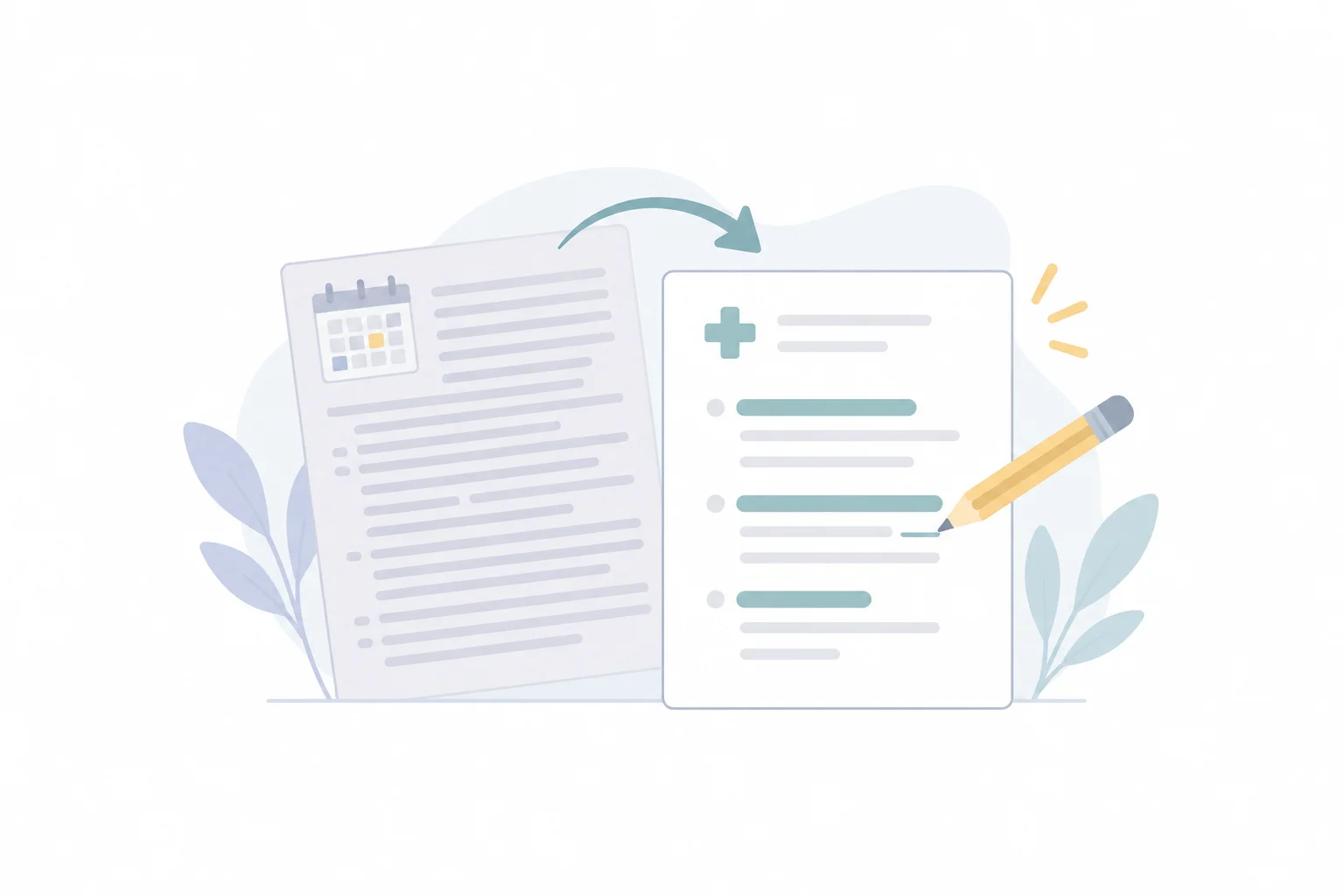
Now Evidence is doing it for you. You export the answer to Word or PDF and the references appear in Vancouver or APA 7, With authors, journal, year and DOI extracted from the databases where the articles are published.
This is how it works
- Open one of your answers in Evidence.
- Click Export.
- In «References in the document», choose Vancouver (is marked by default), APA 7 o Numbered links.
- Choose Word, to continue editing in Word or Google Docs, or PDF, To print or send.
The file is downloaded with the name of your question, not as «document (3).docx».

The answer tables arrive as tables, and each citation remains in its place, also within them.
Now, the question we are asked most often is: which of the two styles should I choose?
Vancouver or APA 7: which to use
The two say the same thing in a different way. What changes is how you cite in the text and how you order the list.
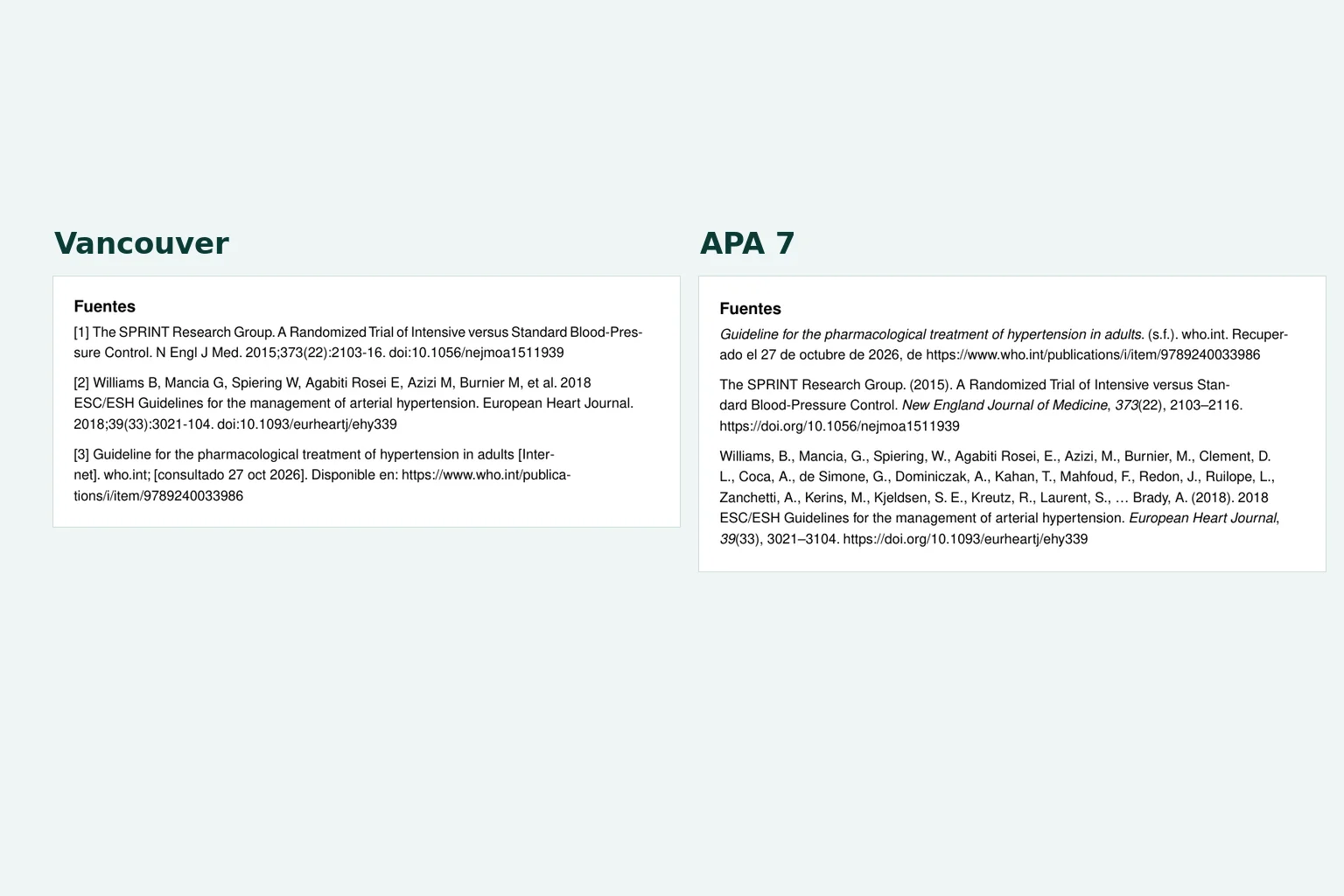
Vancouver Number the sources in the order in which they appear: [1], [2], [3]. The final list follows the same order, with the authors abbreviated (Williams B, Mancia G…) and the journal abbreviated when it has a registered abbreviation (N Engl J Med). This is the style of most medical journals, because this is the style recommended by the ICMJE requirements.

APA 7 Author and year citation: (Williams et al., 2018). The list is in alphabetical order, with the full name of the journal and the DOI as a link. It is common in nursing, psychology, nutrition, and other health sciences, and many universities require it for theses and papers.
When choosing APA 7, you Itaca not only change the list: you also rewrite the citations in the text, from [2] to (Williams et al., 2018). And if two papers share authors and year, they are distinguished as 2018a and 2018b.

And which one is best for you? The rule is simple: use the one your faculty, your magazine, or your hospital asks you to. If no one tells you anything and you write about medicine, Vancouver.
Neither of the two? Choose «Numbered links» and each source will be linked to itself, just like on screen.
Where the data for each reference comes from
Here is the difference with copying a link and formatting it by eye.
When you export, Itaca identify each cited article and search for its data in PubMed and PubMed Central, or in Crossref, This is one of the official records of the DOI. From here the authors, the title, the journal, the year, the volume, the number, the pages, and the DOI are derived.
Guides and webpages that are not articles are cited as webpages: title, site, link and the date they were consulted.
And what cannot be identified cannot be invented. If a source does not have reliable data, it is simply listed as a numbered link at the end, for you to fill in yourself. We prefer a blank space to a reference with an author who does not exist.
Who it is for
Medical and health science students. For monographs, practical works and thesis reports. You research in Evidencia, export to Word and continue writing with the already prepared bibliography.
Residents. For bibliographic sessions, seminars and case presentations. If you are preparing one, it can also be useful. How to prepare a bibliographic session with AI without losing the sources.
Doctors and clinical teams. For protocols, reports and teaching materials, in PDF for sharing or in Word for the team to edit.
To be honest
References come from official databases, but it is advisable to check them before submitting them, as you would with any reference manager.
Two details to keep in mind:
- The titles remain as published by the magazine. APA 7 requires capital letters only at the beginning of the title and in proper names; if your department is strict about that, please use them in Word.
- Itaca It does not read the publication date of the webpages, so in APA 7 it appears as «s.f.» (without a date), next to the date when it was consulted. If the page has a date, add it.
And you can always edit the document: the Word is yours.
Your first document with references
Open one of your answers, press Export, and choose the style they ask you for.
Word or PDF · Vancouver or APA 7 · Included in all plans
Are you still not using it Itaca? Create your free account. And when you’re done writing, Test yourself about the same subject.
Frequently Asked Questions
What styles of references can I use?
Vancouver, APA 7 or numbered links. Vancouver is marked by default.
Can I edit the references later?
Yes. In Word you can edit the entire document, including the references. The PDF is intended for printing or sending as is.
What about sources that are not scientific articles?
Guides and websites are cited as webpages, with title, site, link and date of consultation. If a source cannot be identified reliably, it is listed as a numbered link.
Does it work on a mobile phone?
In the mobile app you can export to PDF. For Word, enter from the browser.
What if I just want to copy the answer?
The «Copy» button copies the answer with its tables intact, ready to be pasted, and leaves the sources as numbered links.

Leave a Reply