




The most useful digital tools for physicians are those that solve a specific friction point: scheduling, remote care, documentation, consultation of evidence, follow-up, training, or team coordination. The best option is not the one that accumulates the most functions, but the one that reduces steps without fragmenting information or taking control away from the professional.
A calendar, a telemedicine platform, an evidence library, and a note-taking system can be useful separately. The problem arises when each one requires repeating information, copying data, or reconstructing the patient's context.
The classification of digital interventions, services and applications of the World Health Organization organize these solutions according to the needs and capabilities they address. This guide applies that approach to the daily work of physicians and clinics: what problem each category solves, what to check, and which one is best to implement first.
Seven types of digital tools for physicians
| Category | What is it for | What to check |
|---|---|---|
| Schedule and management | Appointments, confirmations, cancellations, and patient flow. | Roles, reminders, and integration with care. |
| Telemedicine and communication | Remote consultation, instructions, and follow-up. | Consent, secure channel, and clinical record. |
| Clinical Documentation with AI | Prepare drafts of notes and documents. | Review, editing, signature, traceability, and data policy. |
| Evidence and clinical responses | Search, synthesize, and review medical sources. | Visible references, date, context, and response limits. |
| Continuing education | Courses, libraries, and professional development. | Quality of sources and editorial independence. |
| Security and privacy | Control access, storage, and data processing. | Encryption, permissions, ownership, retention, and providers. |
| Operation of clinics and equipment | Coordinate professionals, locations, templates, and pending tasks. | Adoption, permits, continuity, and interoperability. |
Think of tools by workflow, not by trend
A consultation has several stages. Before the visit, someone schedules, confirms, and gathers information. During the consultation, the doctor listens, examines, decides, and explains. Afterward, the documentation must be reviewed, signed, and made available for follow-up.
A digital tool is worthwhile when it improves one of those stages and connects reasonably with the others. You can evaluate your practice with four questions:
- When is the most time lost?
- What information is being asked for or copied again?
- What issues depend on a person's memory?
- What task carries the most risk when done late or with incomplete information?
The answer won't always be AI. It could be scheduling, telemedicine, documentation, communication, follow-up, or security. The important thing is to start with the real friction.
Agenda, reminders, and patient management
Scheduling tools help coordinate availability, confirmations, and appointment changes. For individual consultations, they can reduce calls and repetitive tasks. For a clinic, they allow reception and the team to work with a shared schedule.
But a well-coordinated appointment doesn't guarantee continuous care. The doctor also needs to arrive at the consultation with context: reason, relevant history, previous documents and notes.
When reviewing a scheduling tool, ask if it integrates with the patient profile, what reception can see, how cancellations are handled, how pending items are identified, and if scheduling information feeds into the care flow or remains isolated.
For clinics, this continuity between scheduling, patients, care, and documentation is a central part of the Clinic software.
Telemedicine and patient communication
Telemedicine allows for remote care and can facilitate follow-up when an in-person visit is not necessary. Digital communication can also help with reminders, instructions, and care coordination.
The critical point is that a remote consultation must conclude with the same level of documentation as an in-person consultation. The chosen flow should clearly state the reason for consultation, relevant history, reviewed findings, assessment, plan, indications, pending items, and who reviewed the documentation.
Before using a communication tool for clinical information, review its access controls, data policy, and how documentation is incorporated into the record.
If part of the work continues away from the desk, also check if the tool offers a clinical app for iPhone and Android and what functions can you use when the connection is unstable.
Clinical Documentation with AI
Documentation is usually one of the areas where a digital tool can eliminate the most repetitive work. The benefit isn't in filling out the file with automatic text. It's in preparing a clear draft that the professional can review quickly and accurately.
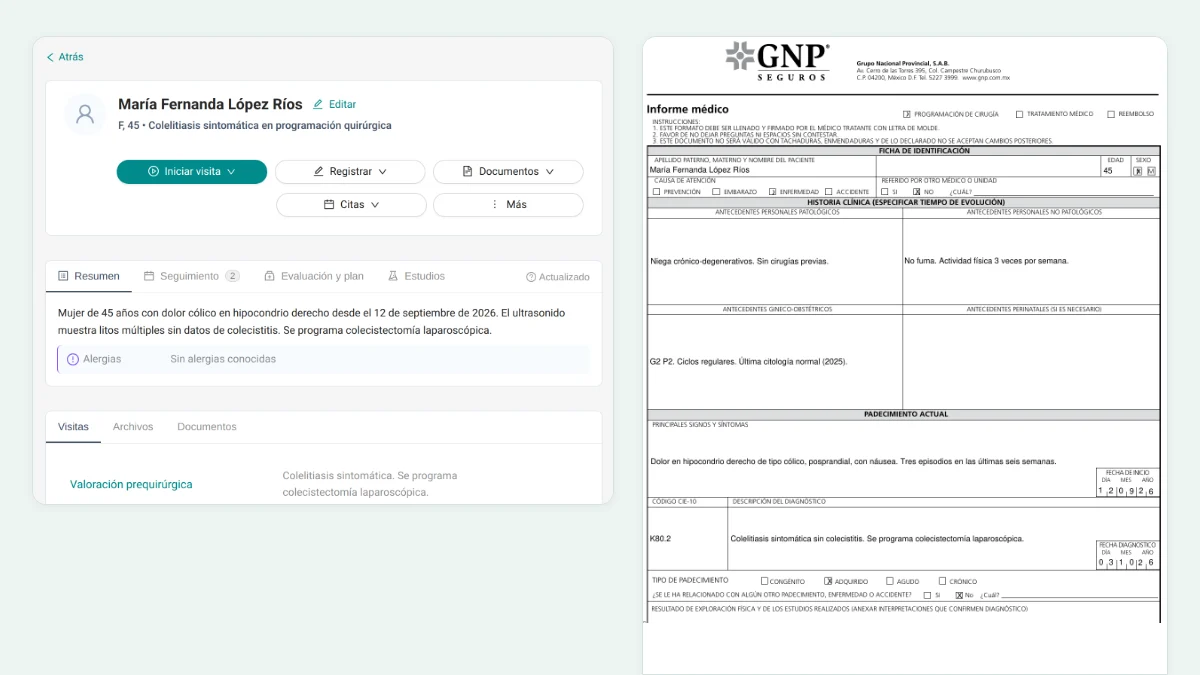
A platform for clinical notes with AI can help convert queries, video calls, documents, and quick notes into structured clinical drafts. The professional retains review, editing, approval, and signing.
When evaluating a documentation tool, confirm that it captures context without disrupting patient care, maintains separation between draft and final notes, allows for correction of omissions, adapts to care formats, keeps pending items visible, and records approval and signature.
AI can speed up note preparation. It cannot replace a doctor's judgment or responsibility.
The WHO ethics and governance guidance for AI for health recommends preserving human autonomy, transparency, and accountability. In practice, it is advisable to evaluate not only the outcome, but also who can review it, correct it, and be held accountable for its use.
Templates for different types of care
Not all consultations are documented the same way. A first consultation may require more extensive history, a pediatric visit includes caregiver context, and a psychiatric evaluation might need different elements than a general medicine note.
The clinical note templates assist in making the result correspond to practice, without revealing the internal logic of the product or forcing the professional to write prompts for each query.
If you already use your own format, the most useful option is not to start from scratch. At Itaca, you can upload an example of the format you already use to turn it into a reusable template. This way, you preserve a structure that the team knows and can adjust it to the type of care.
Rules for consistent documentation
In individual practice, rules help maintain clarity. In a clinic, they also help multiple professionals document with common criteria.
The Clinical note guidelines can guide how to make a pending item visible, how to maintain the level of certainty expressed by the professional, or how to handle missing information. The goal is not to automate clinical decisions: it is to reduce unnecessary variations in documentation.
Review whether the system allows these rules to be applied without making the examination rigid or removing the professional's ability to correct the outcome.
Clinical Evidence and Support Tools
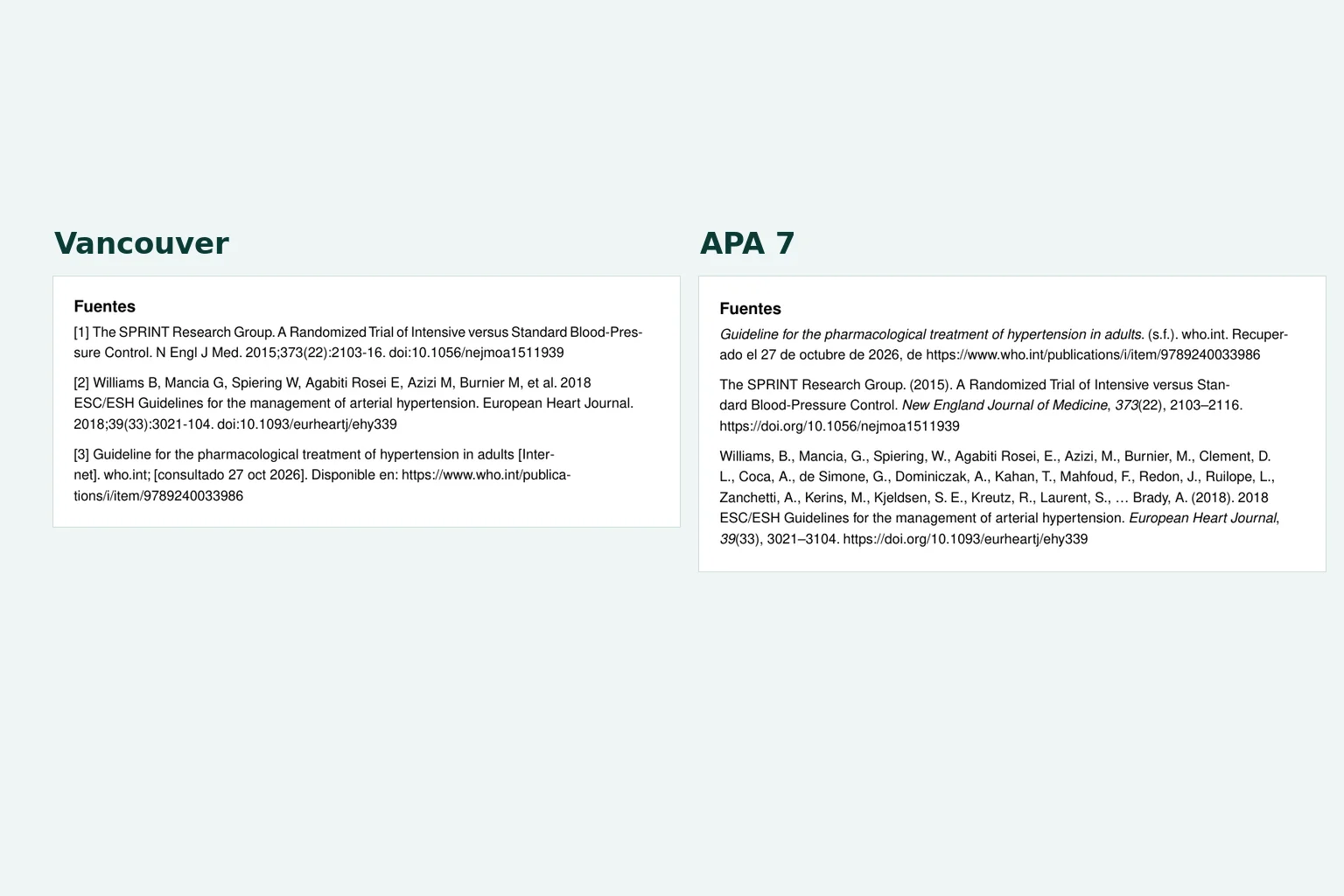
Libraries, search engines, and tools of clinical answers with sources They can help find guidelines, review literature, and follow up with further questions. They are useful when they allow opening references and clearly separating a synthesis from a clinical decision.
To use them responsibly, check that sources are visible and relevant, distinguish between a summary and medical advice, verify date and context, and maintain therapeutic decisions under professional responsibility.
A tool can help speed up the search. It does not turn an automated response into a clinical indication for a specific patient.
Continuing education and professional development
Courses, libraries, conferences, and continuing education resources are another important category. Their purpose is to help the physician learn and stay up-to-date, not to document actual care.
It's important to maintain that boundary clearly. An educational platform can be excellent for studying. A clinical platform must be designed to handle patient context, professional review, security, and traceability.
Security and privacy when using digital tools
Every new tool is also a new question about access, data, and responsibility. This is especially important if you process audio, documents, notes, or identifiable information.
Before implementing a tool, confirm encryption in transit and at rest, access roles, data ownership, model training policy, BAA agreements with cloud providers when applicable, administrative visibility, and audio, retention, and deletion policies.
Itaca follows applicable HIPAA requirements for its operations, works with cloud providers under BAAs, and encrypts information in transit and at rest. Clinical data belongs to the user and their organization; it is not used to train models, nor is it sold or provided to third parties for commercial purposes.
The page security and privacy Explain this stance for clinical documentation with AI.
Tools for medical teams and clinics
A tool can serve an individual doctor and still not meet the needs of a clinic. Teams require continuity between professionals, shifts, and locations, in addition to roles that respect different access levels.
When evaluating tools for a team, check if they help share relevant context, preserve reviewed documentation, coordinate pending tasks without relying on personal chats, maintain common templates and rules, separate access, and provide visibility into adoption and activity.
Not everything should be in one system, but the chosen tools shouldn't force the team to rebuild the same context at every step.
How to choose what to implement first
Don't try to transform the entire practice in a week. Start with the bottleneck that most affects patient care or administrative burden.
If the problem is schedule and absences
Start with quotes, confirmations, reminders, and an operational view that reception can use.
If the problem is late documentation
Prioritize an AI-powered clinical notes platform that generates reviewable drafts, respects your formatting, and maintains professional signatures.
If the problem is continuity between professionals
Search for roles, shared tracking, templates, rules, and controlled access. A single agenda won't solve this problem.
If the problem is scattered clinical information
Revise how documents, notes, tasks, and patient context are connected before adding another application.
If the problem is security
Stop the deployment until you can accurately answer who is accessing, where the data is stored, which vendors are involved, and what policy applies to model training.
A practical way to test a new tool
Try with a fictional case that represents real work. Include a consultation, a prior document, a pending item, and the switch to another professional.
- Does the context get organized before attending?
- Can the professional easily review the draft?
- Can the note be approved and signed?
- Is a subsequent correction recorded as an addendum?
- Does the following professional understand what happened without asking for additional information?
- Does each role only see what they need?
- Does the tool reduce steps or add work?
The most important answer isn't how many features appear on the panel. It's whether the tool improves the flow when the query is full, the team changes shifts, and documentation must remain reliable.
Where does Itaca fit in
Itaca is an AI-powered clinical documentation platform for doctors and teams. It helps convert consultations, video calls, documents, and quick notes into structured clinical drafts. The professional reviews, edits, approves, and signs; the clinic can maintain formats, rules, roles, and continuity between professionals.
Frequently Asked Questions about Digital Tools for Doctors
What are the most useful digital tools for doctors?
The most useful categories are usually scheduling and patient management, telemedicine, AI-powered clinical documentation, evidence-based answers, continuous education, data security, and clinic or team coordination. The priority depends on where your practice loses the most time or continuity.
Which tool should be implemented first?
Start with a measurable friction: absences, late documentation, scattered information, pending tasks without an owner, or difficult-to-control access. Test a solution in that workflow before expanding its use.
Can AI replace doctors?
No. In clinical documentation, AI must prepare reviewable drafts. The professional retains the evaluation, review, approval, signature, and ultimate responsibility.
What should I review before using AI with clinical data?
Review encryption, access roles, data ownership, model training policy, vendors, retention, traceability, signature, addendums, and administrative visibility. The evaluation must correspond to your organization and jurisdiction.
Does Itaca serve individual doctors and clinics?
Yes. Itaca helps individual professionals prepare documentation with less burden and allows clinics to maintain formats, rules, roles, and continuity among professionals.
How can I know if a tool fits my practice?
Test a fictitious case that represents a real query. Observe the work required to review the result and confirm how it integrates with schedule, documentation, tracking, roles, and data policy. The tool must reduce steps, not move them to another screen.


Leave a Reply