



Today's result matters. See how it has changed since the last consultation, too.
But the information is often scattered: a lab report, a measurement in the notes of a visit, and another study attached to the history. To compare the results, you first have to find them.
With the new clinical measurement feature from Itaca, you can consult values identified in visits and clinical files, review their evolution in graphs, and return to the source when you need to verify a data point. All from within the patient summary.
Less searching among documents. More context for your next query.
From scattered results to a view of the patient
A single figure answers a question: «What was the result?» The follow-up needs another question: «How does it compare with previous ones?».
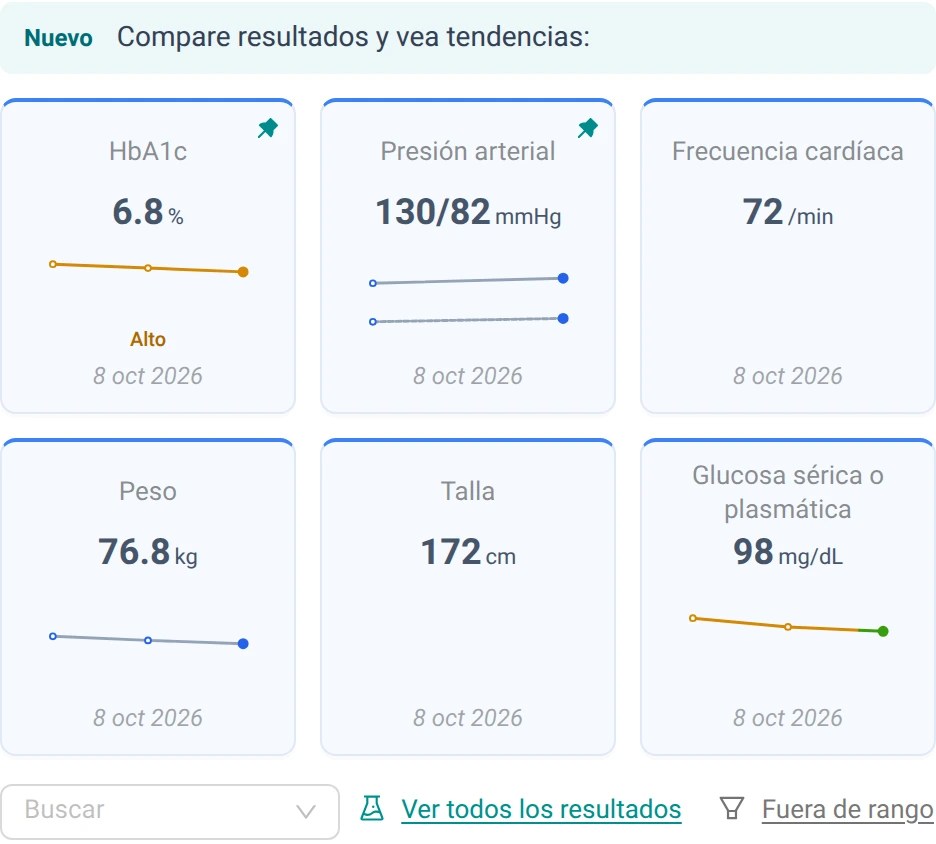
Itaca It automatically gathers compatible measurements that are identified in the available clinical documentation. This way, you can review, for example, laboratory results, blood pressure, heart rate, or weight, without having to create a manual table for each patient.
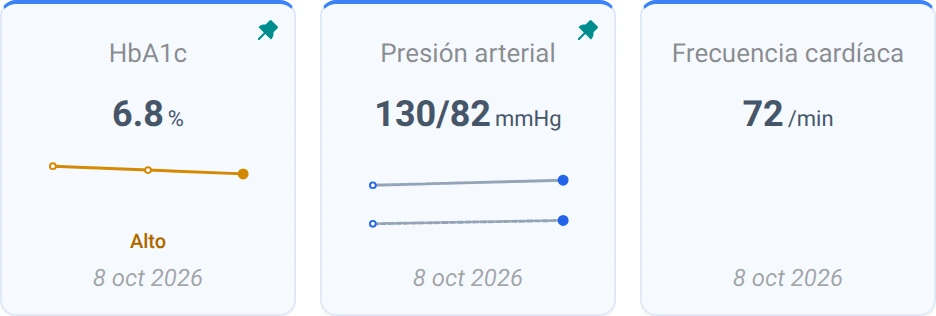
In the summary you will see a selection of measurements with their most recent value and date. When there are comparable results at different dates, the small graphs allow you to recognize their trajectory. To explore the rest, use the search engine or open See all the results.
You don't need to highlight all the parameters of each study. You can start with the ones you usually consult during the follow-up.
Open a measurement and see how it has changed
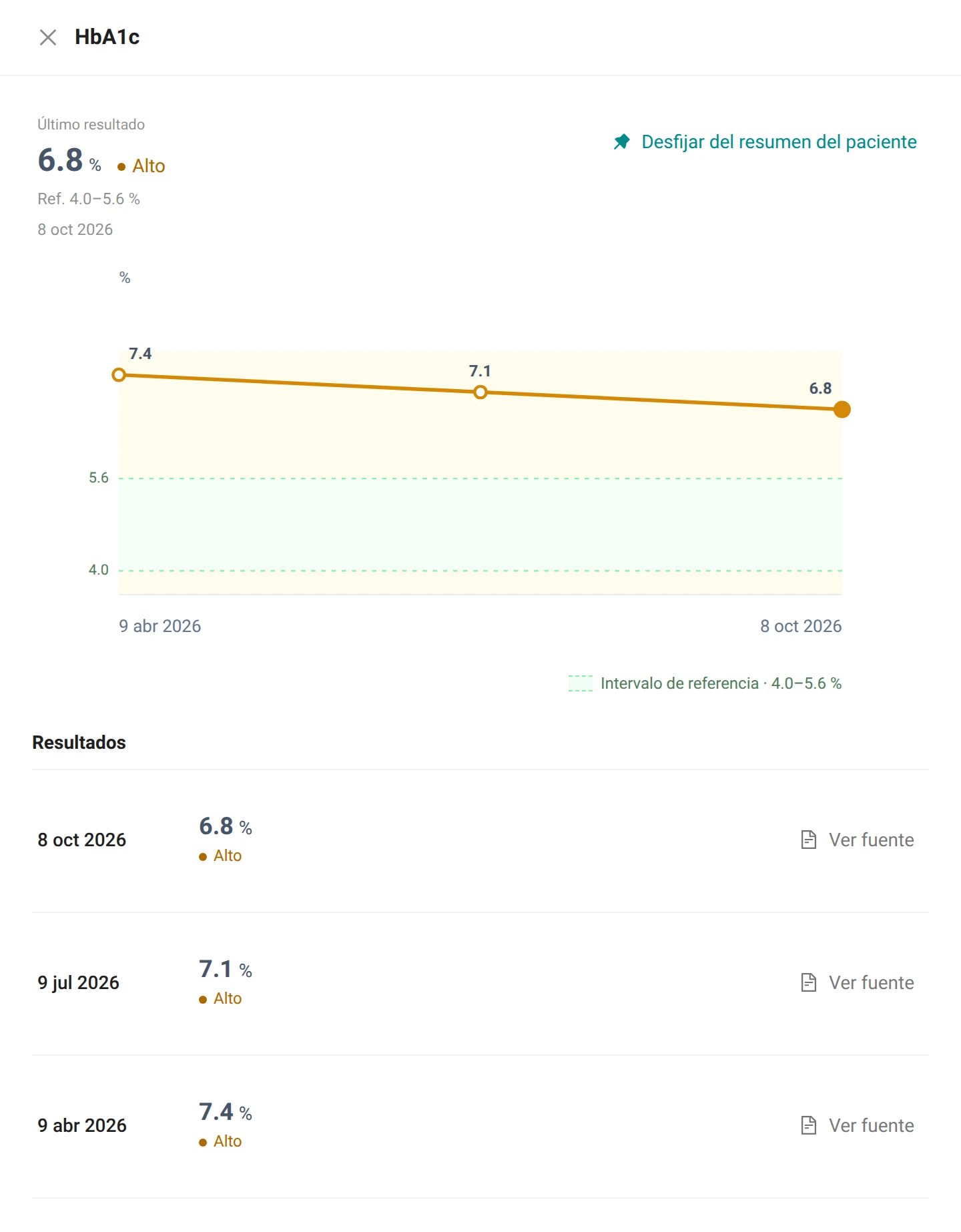
Select a card to open the details of that measurement. You will find the graph, the history of results, their dates, and access to the available sources.
Imagine a follow-up review in which you want to compare the current HbA1c with two previous studies. Instead of opening the three reports separately to reconstruct the sequence, you can view your values in the HbA1c history and return to each document if you need to review the context.
The chart organizes the information; it does not explain why the change occurred on its own. The evaluation of that evolution and its relationship with the treatment remain decisions of the professional.
Consult the source, not just the figure
A value is more useful when you can check where it came from.
From the history, See source It allows you to open the file or the visit that supports the result, as appropriate. This makes it easier to review the units, the context of the record, or additional information from the report without losing the context of the comparison.
The measurements do not replace the original studies or their conclusions. They are a way to access the numerical data and its evolution. For a complete review, the document, the qualitative findings, and the rest of the medical history remain important.
Review the results outside the range in context
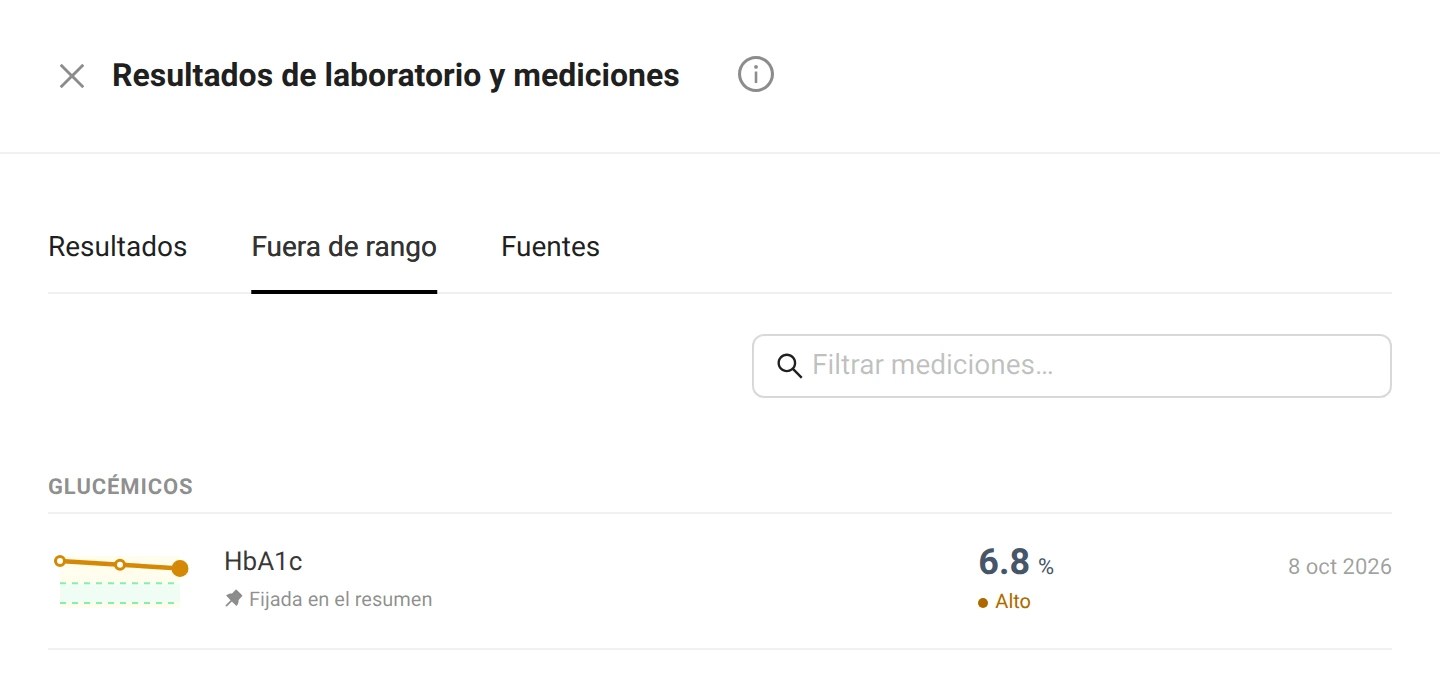
When there are indicators whose last dated result is outside the range, access appears. Out of range. Opens a specific view within the same results explorer, without changing the measurements that are highlighted in the summary.
You can use it to focus the review and then return to it. Results to consult the set of available data. It is not a list of diagnoses or an emergency alert system.
The indication of rank provides context to the result when a relevant reference exists. Its meaning for that patient requires the usual clinical assessment; a color or label does not replace it.
Highlight what needs to be continued in each patient
Not all patients require the same follow-up care. The parameters you want to have on hand may vary between a weight check, a metabolic control check, and another consultation.
You can set up up to six measurements in the patient summary. From the detail view, use Set in the patient summary to highlight a measurement that is frequently consulted.
This selection is a display preference: it does not modify the clinical values or change the study content. It allows you to organize the work view around the measurements you need to review.
Try it on a patient who is already following it.
The most useful way to learn about the function is to go through a real sequence, rather than just looking at a list of options.
- Open the summary of a patient with recorded visits or studies.
- Find a measurement that you check regularly and select your card to view the history.
- Compare the available dates and values. Open See source to verify the registration that supports one of them.
- Keep that measurement handy for future revisions if you want to have it on hand.
The function is part of the Clinical tools of Itaca. If you are dealing with several problems and previous results, you can also explore how the organization is Itaca organized. Clinical context in internal medicine.
A useful comparison also shows its limitations
The available measurements depend on the content and clarity of the sources. Not all the data in a document can be converted into a graph.
If a clinical date cannot be identified with sufficient precision, a result can be kept on the list without being incorporated into a dated trend. Similarly, a single result is presented as an individual data point, not as an evolution.
The current values of the patient record are identified as such when they are used as a reference in the summary. They are not assigned a historical date that does not exist.
That distinction matters: seeing the collected information should not make it appear more complete or more certain than the original documentation allows.
Bring the results history to your next appointment
The next time you need to compare laboratory results or review the evolution of a measurement, start with the patient summary. Open the history, check the source, and highlight what you need to follow up on.
The function is already available in all Itaca.Open a patient summary to view their results and trends. If you don't already have an account, Create one to get started.



Leave a Reply