




Switching medical systems usually involves an uncomfortable task: migrating patients, notes, and histories from the old software to the new one.
It's not just administrative work. It's clinical information. Names, phone numbers, insurance coverage, consultation notes, progress reports, and data that a doctor needs to have on hand to provide good care.
That's why in Itaca We added patient import from Doctoralia and AgendaPro.
The idea is simple: you upload the exported file from your previous system, review an example of how Itaca understands that data, and confirm the import. The process runs in the background, and we'll notify you by email when it's complete.
Why importing patients shouldn't feel risky
Many doctors have a reasonable concern before importing a patient database:
“What if the system misunderstands the data?”
That concern makes sense. A file exported from other software can come with strange columns, inconsistent formats, or information mixed between administrative data and clinical notes.
That's why Itaca doesn't ask for blind trust.
Before starting the import, we show a preview of the mapping. That is, a clear example of how a file column will be converted into a field within Itaca.
For example:
- Full name
- Phone
- Document, when can it be safely validated
- Coverage
- Tags
- Clinical notes or evolutions
If a value cannot be reliably read, Itaca displays it as “Will not be imported” instead of saving dubious information.
What can Itaca matter today?
Currently, patient import supports two main sources: Doctoralia and AgendaPro.
Import patients from Doctoralia
Doctoralia can export clinical information in a format where multiple rows represent fields of the same consultation.
Itaca groups that information to create a more legible clinical note, rather than importing each row as if it were a separate visit.
For example, fields like summary, weight, height, blood pressure, or indications are consolidated within the corresponding note.
The goal is to preserve clinical information without turning the history into an unreadable list.
If you already use Doctoralia, you can export your information and import it into Itaca without manually entering each patient. Itaca processes CSV, XLS, and XLSX files from Doctoralia, identifies unique patients, and organizes the clinical notes associated with each visit.
Import patients from Doctoralia
The import from Doctoralia is designed to preserve important clinical information: history, observations, check-ups, vital signs, and other fields present in the original file. Before starting the import, Itaca displays a preview of the mapping so you can confirm how the information will be saved in the patient's medical record.
Import patients from AgendaPro
AgendaPro can deliver files with patient data and clinical progress.
In Itaca, you can upload one or more AgendaPro files. The system analyzes them, identifies which information corresponds to patients and which corresponds to appointments or notes, and then builds a unified import.
This avoids asking the user to manually decide if a file is “patient” or “visit.” You upload the exported files, and Itaca handles their interpretation conservatively.
A review before confirming
The import has two important steps.
First, you upload the file.
Second, Itaca shows you a review of the mapping before starting the import.
This review exists to give you peace of mind. We don't want a busy doctor to have to guess what will happen with their data.
The preview shows something like:
- File column
- Field in Itaca
- Value to be kept
It also shows rejected values when it's not safe to import them.
This is especially important with fields like identity documents or dates of birth. If the data appears invalid, Itaca does not save it as if it were correct.
Review before confirmation also allows the clinic to maintain control over how sensitive data is interpreted. Consult the position of security and privacy before planning a migration.
The import runs in the background
Patient files can be large. Some clinics have hundreds or thousands of patients, and years of accumulated clinical notes.
This is why Itaca processes the import as a background job.
You don't have to wait with the window open. Once the import is confirmed, you can continue working. When the process finishes, Itaca sends you an email with the result.
Designed for doctors, not technicians
This function was designed to reduce friction at a delicate moment: migration from another system.
The goal is not to show you technical details or ask you to understand the internal format of a CSV or Excel.
The goal is for it to quickly answer three questions:
- Did Itaca recognize my patients?
- Does Itaca understand the important fields well?
- Can I confirm the import with confidence?
If the answer is yes, start the import.
Migrate clinical information with more confidence
Importing patients shouldn't be a gamble.
With Itaca, you can upload your files, review how the data will be mapped, and confirm only when the sample looks correct.
Less manual copying. Less risk of losing important information. More continuity in caring for your patients.
From the imported file to continuity of care
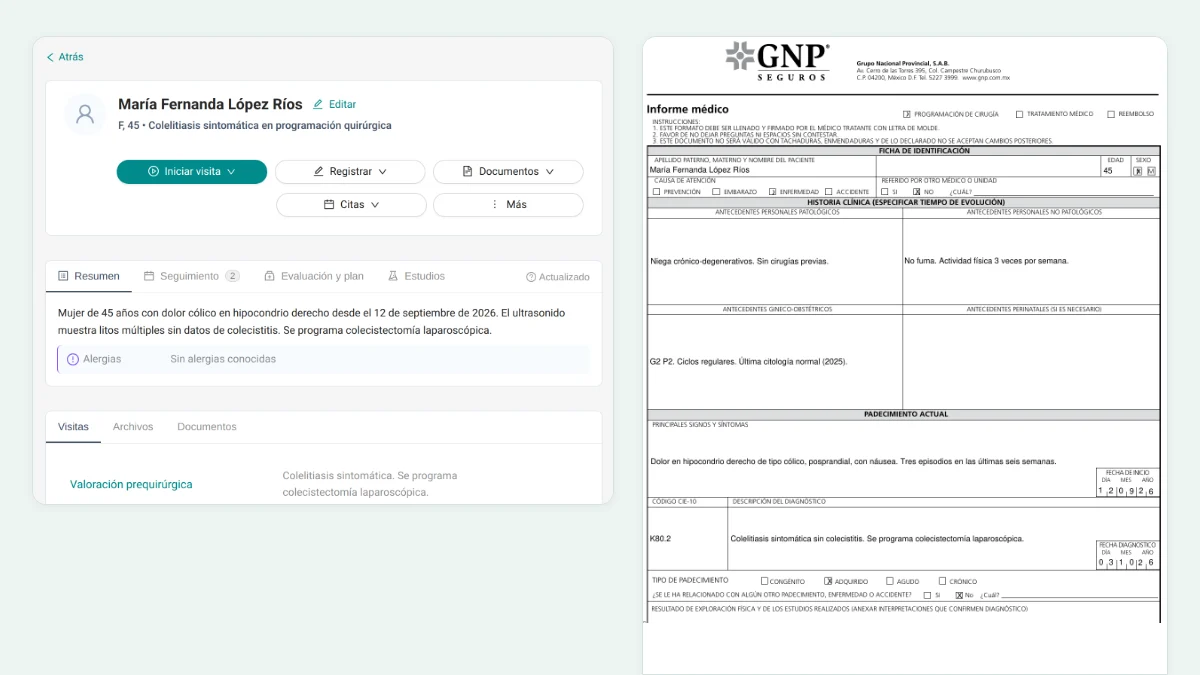
Migrating patients isn't just about moving names and phone numbers. The goal is for the team to be able to start treating patients with the relevant context already organized, without manually re-entering history, notes, and documents that exist in the previous system.
After importation, Itaca helps each new query continue within the same workflow: patient context, revisable clinical draft, approved documentation, and follow-up for subsequent care. The professional reviews the clinical information before using or signing it.
To see the complete flow, see Clinic software and clinical notes with AI.
If your clinic is migrating from Doctoralia, AgendaPro, or another system, Schedule a clinical conversation to review the import flow, documentation, and team continuity.
For individual use, you can also try Itaca.


Leave a Reply